01/04Audio and text on one book
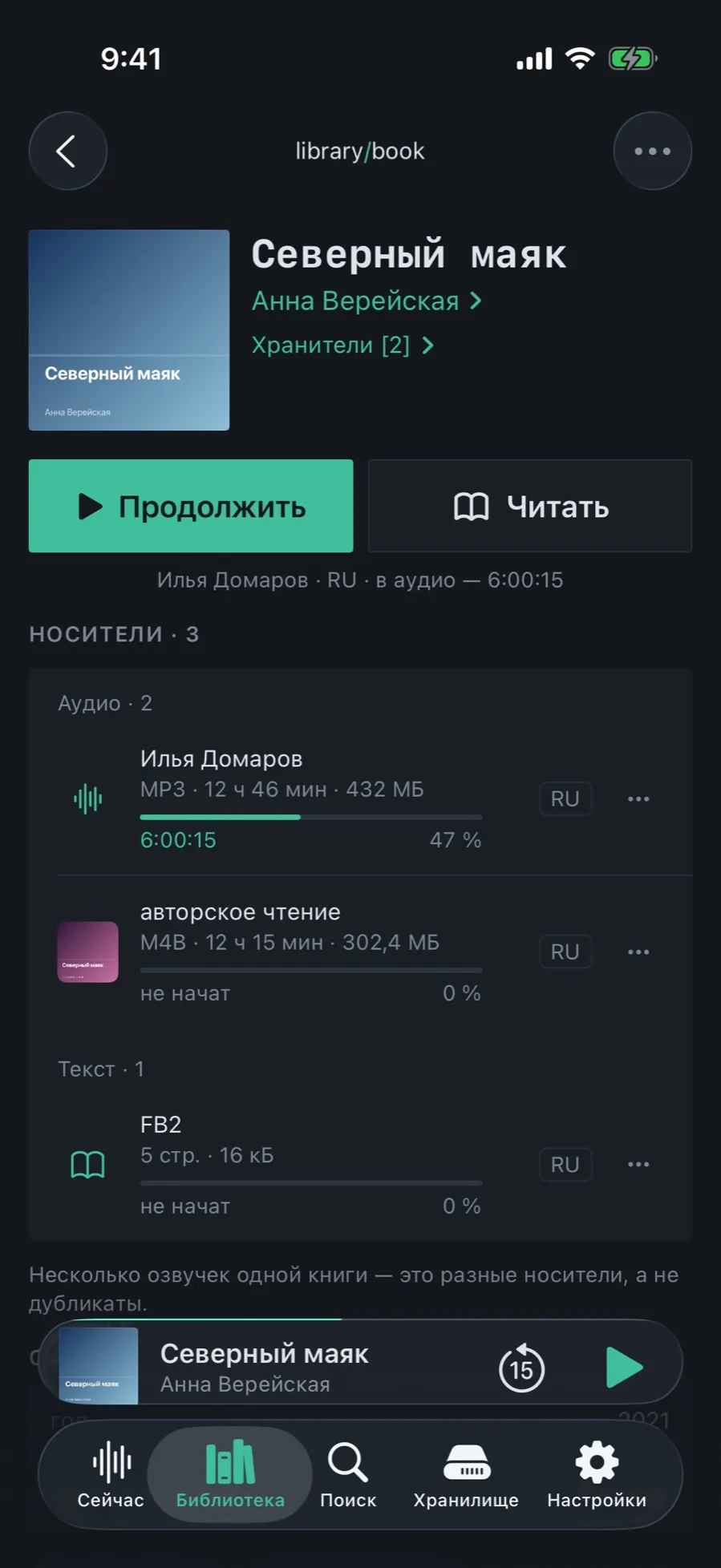
The card shows what the book has and offers two main buttons: listen and read.
- Open the book card. Under the cover sit “Continue” and “Read” — a button per kind of edition.
- The line below the buttons says what exactly you will continue: narrator, language and where you stopped.
- The “Editions · 3” section is split by kind: “Audio · 2” and “Text · 1”.
- Every row carries the format, the length or the page count, the size, the language and a progress bar of its own.
The position in the audio and the place in the text are not linked: you can listen from the sixth hour and read from page one.
02/04Two narrations — different narrators, one catalog
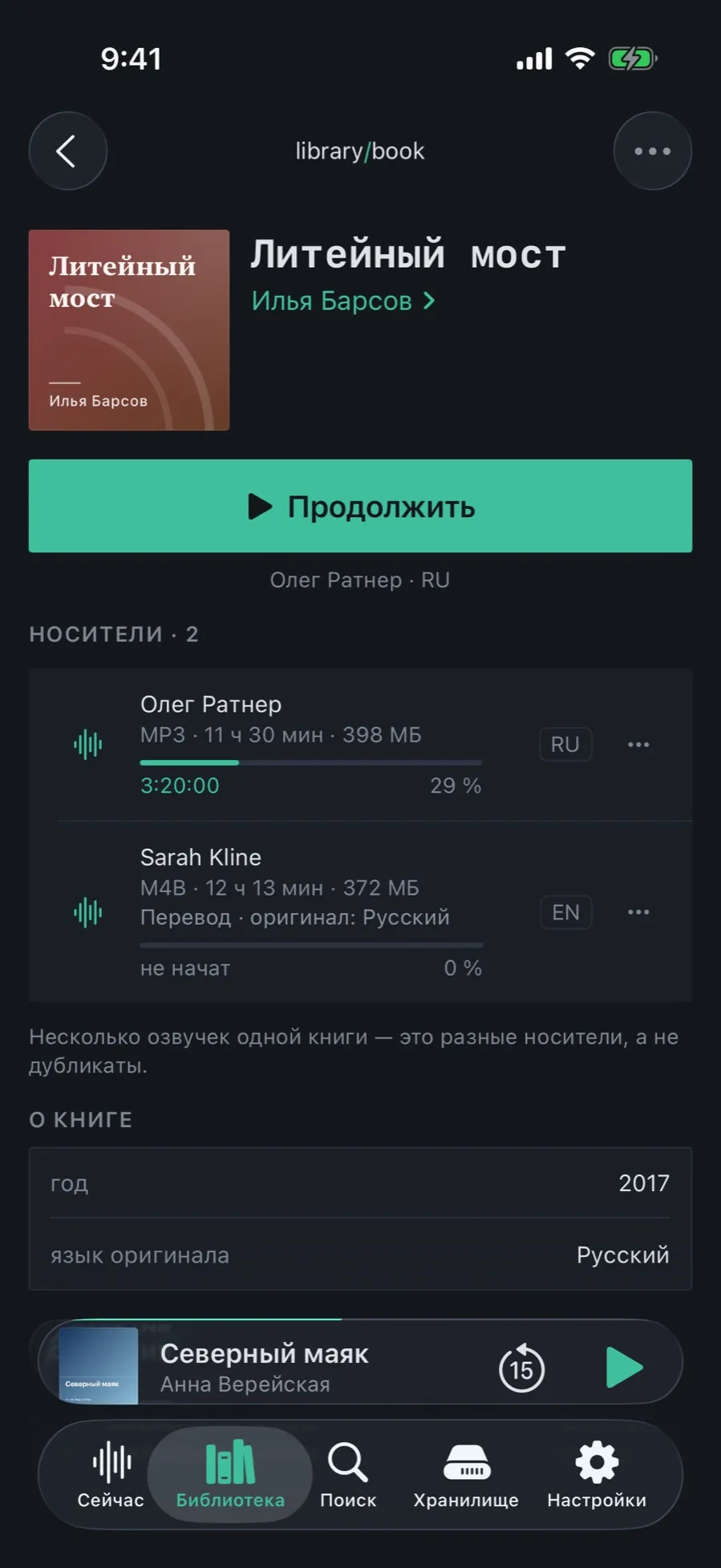
Found the same book in another narration, or in translation? That is a second edition, not a second book.
- In the Editions section every narration carries the narrator’s name, the format, the length and the size.
- The badge on the right shows the edition’s language: RU, EN.
- A translated narration says “Translation” under the narrator, with the original language.
- Progress is separate for each: one at 29 %, the other not started.
The choice is remembered: next time the book opens with the same edition. You can change it from the card.
03/04One text in two formats
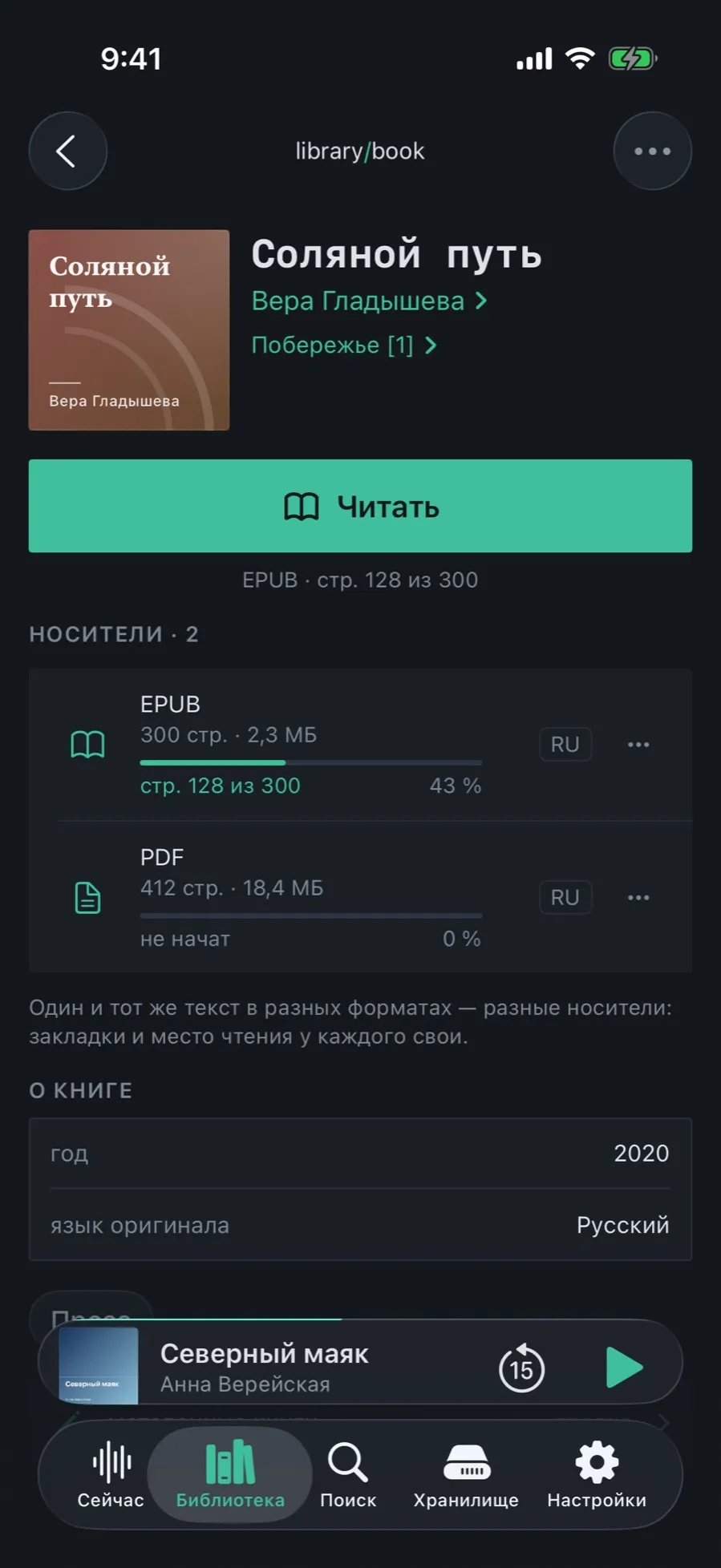
The EPUB and the PDF of the same book are separate editions too: each keeps its own bookmarks and its own reading place.
- On a book with no audio the main button becomes “Read”, and under it the format and the page you stopped on.
- EPUB, FB2, TXT and MD open in the built-in reader with pagination; PDF, RTF and DOCX in the system viewer.
- The page counts do not match between formats, and that is fine: the typesetting differs.
- Tap an edition row to open that one specifically.
04/04Delete an edition without losing the book
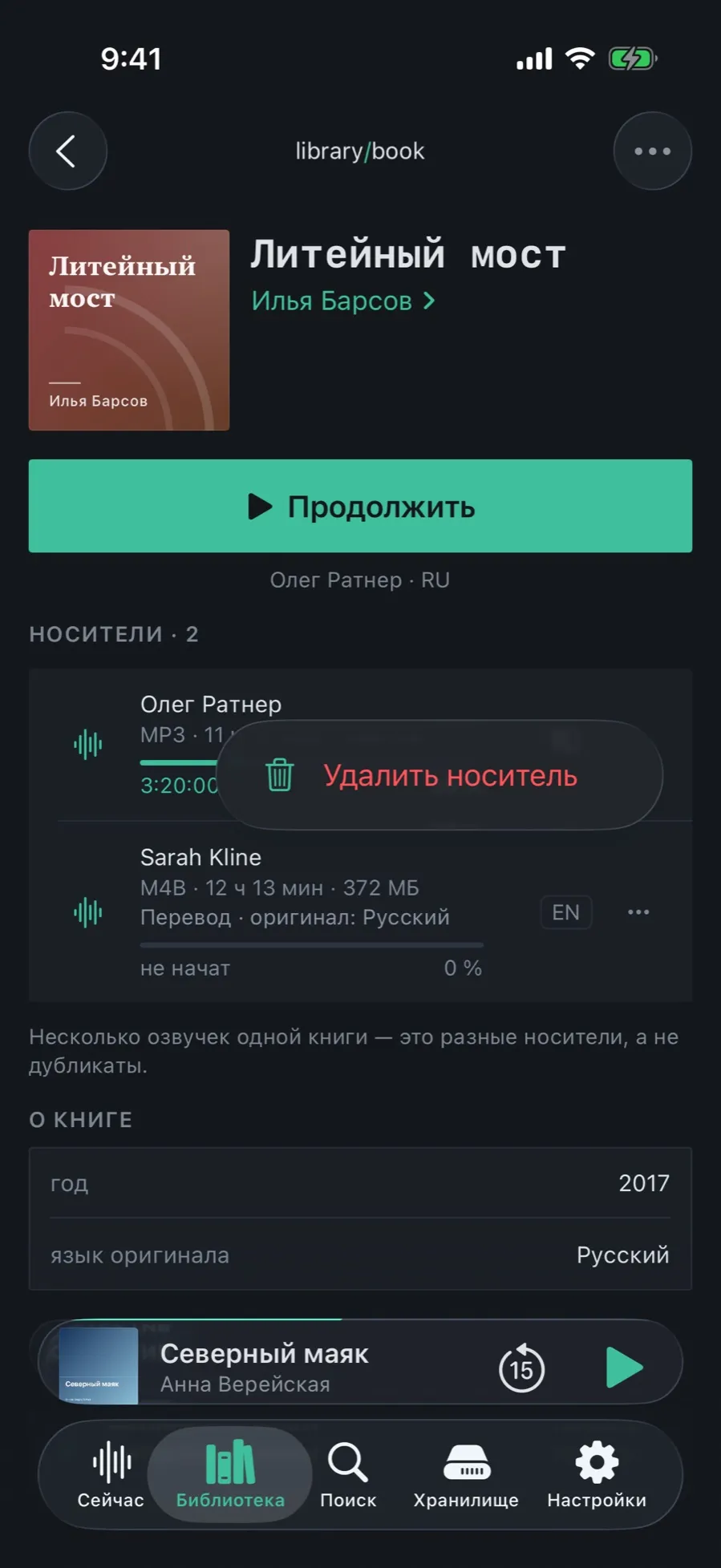
Got a better narration? The old one can go while the book keeps its history, its rating and its place in the series.
- Tap “•••” to the right of the edition.
- Choose “Delete this edition”.
- The book stays in the catalog: only that file and its progress disappear.
- Delete the last edition and the book becomes a record with no files rather than vanishing.
The narrator belongs to the edition, not to the book. That is why it is edited in “Metadata”, in that edition’s own block.
What editions do not do
- A shared place between audio and text: the app does not know which page the sixth hour of listening matches.
- Conversion between formats: ogg, wma and ape do not play and never reach a book.
- Opening protected Audible files (aax, aaxc).