akoue/guides/sleep timer

Sleep timer

The sleep timer stops the book when you have fallen asleep: it fades the sound out, pauses and rewinds half a minute, so in the morning you find the place where you drifted off.

The timer counts playing time, not clock time: a pause stops it, and at 1.5× a half-hour timer ends in twenty minutes. The countdown survives seeking, a change of file and the app going to the background.

The timer is free. You can turn it on for your usual half hour, or off, without opening the app: with the “Sleep timer” button in Control Center, on the Action button or by voice, “Sleep timer in Akoue”. The remaining time shows in the lock screen widget.

01/05

Turn the timer on

Seven durations and a one-tap start. The sheet stays open so you can see the countdown.

  1. In the player tap “timer”, the button with the moon icon in the second row.
  2. Pick a duration: 5, 10, 15, 30, 45, 60 or 90 minutes. The countdown starts at once.
  3. The remaining time appears at the top with the “+10 min” and “Cancel” buttons. Tap “Done” to get back to the player.
  4. Next time the sheet offers a “Same as last time” row with your last choice.

A custom duration cannot be typed in, and there is no “Off” item in the sheet: the timer is turned off with the “Cancel” button.
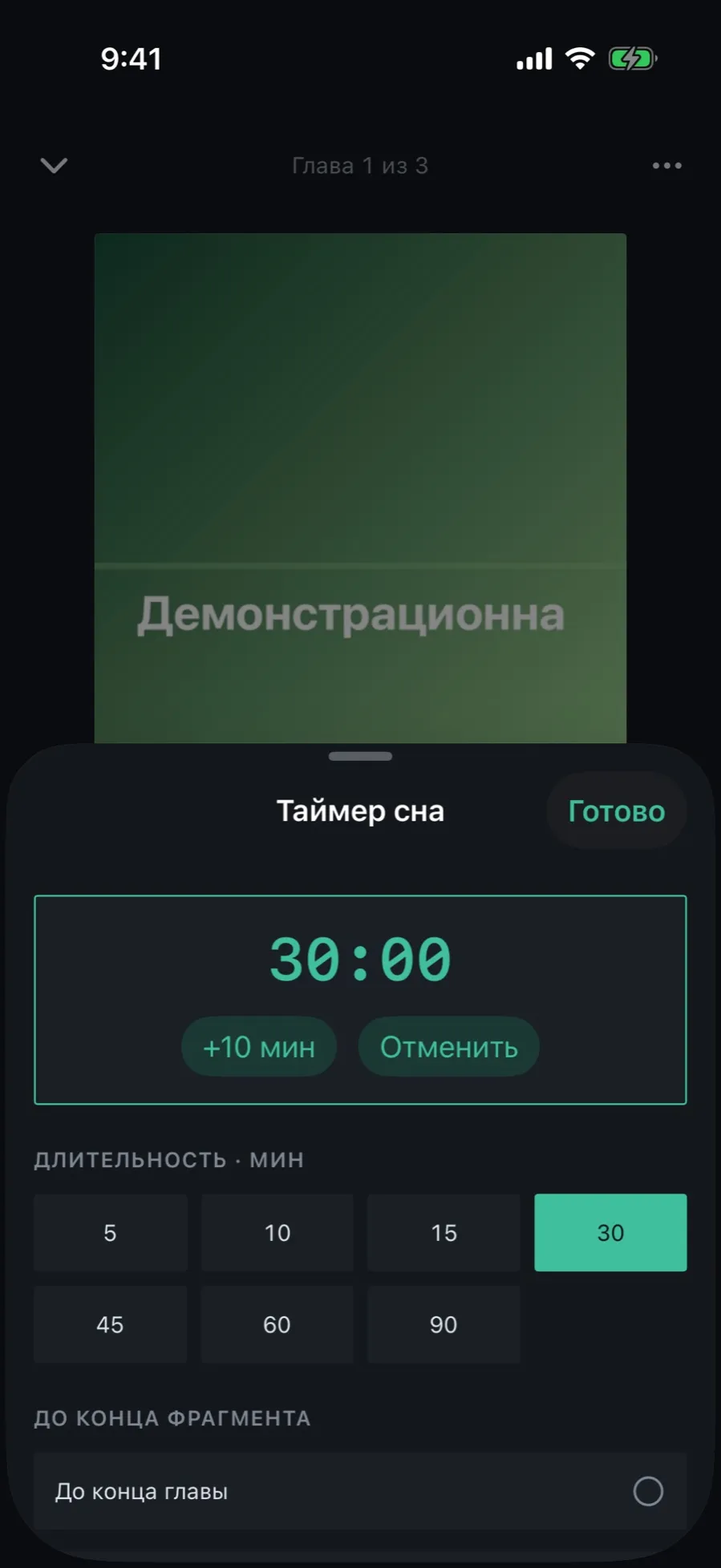
The “Sleep timer” sheet: 30:00 remaining with the “+10 min” and “Cancel” buttons, below them the grid of durations and the rows “To the end of the chapter” and “To the end of the file”
02/05

Remaining time, extending and cancelling

While the timer runs, it is visible right in the player: the button is highlighted and shows the remaining time.

  1. Look at the “timer” button: instead of its caption it shows the remaining time, for example 14:58.
  2. Tap it to open the sheet. “+10 min” adds ten minutes, “Cancel” turns the timer off.
  3. Tapping a duration again restarts the countdown.
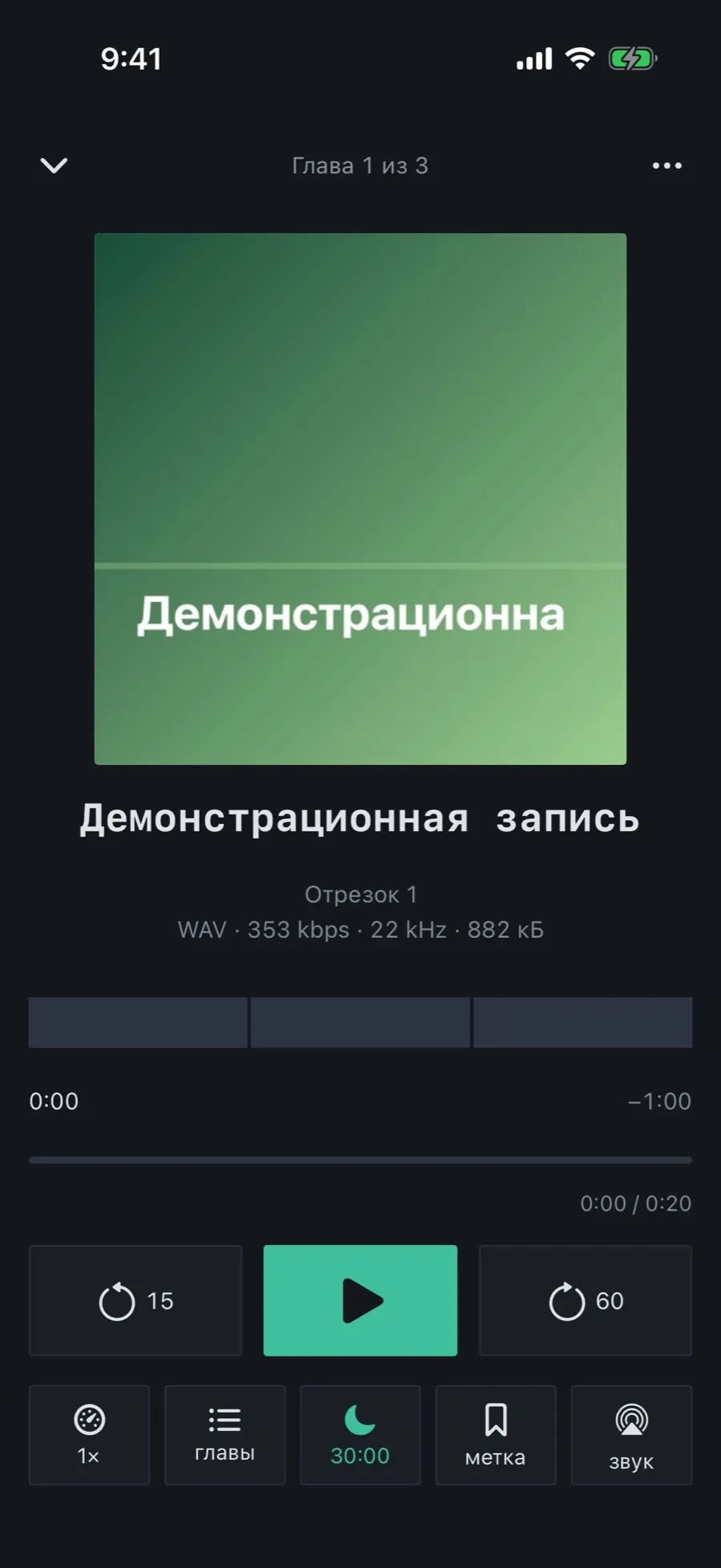
The player with the timer on: the “timer” button is highlighted in the accent colour and shows 30:00
03/05

To the end of the chapter or file

Falling asleep at a chapter boundary is better than in the middle of a sentence.

  1. In the timer sheet, below the durations, choose “To the end of the chapter” or “To the end of the file”.
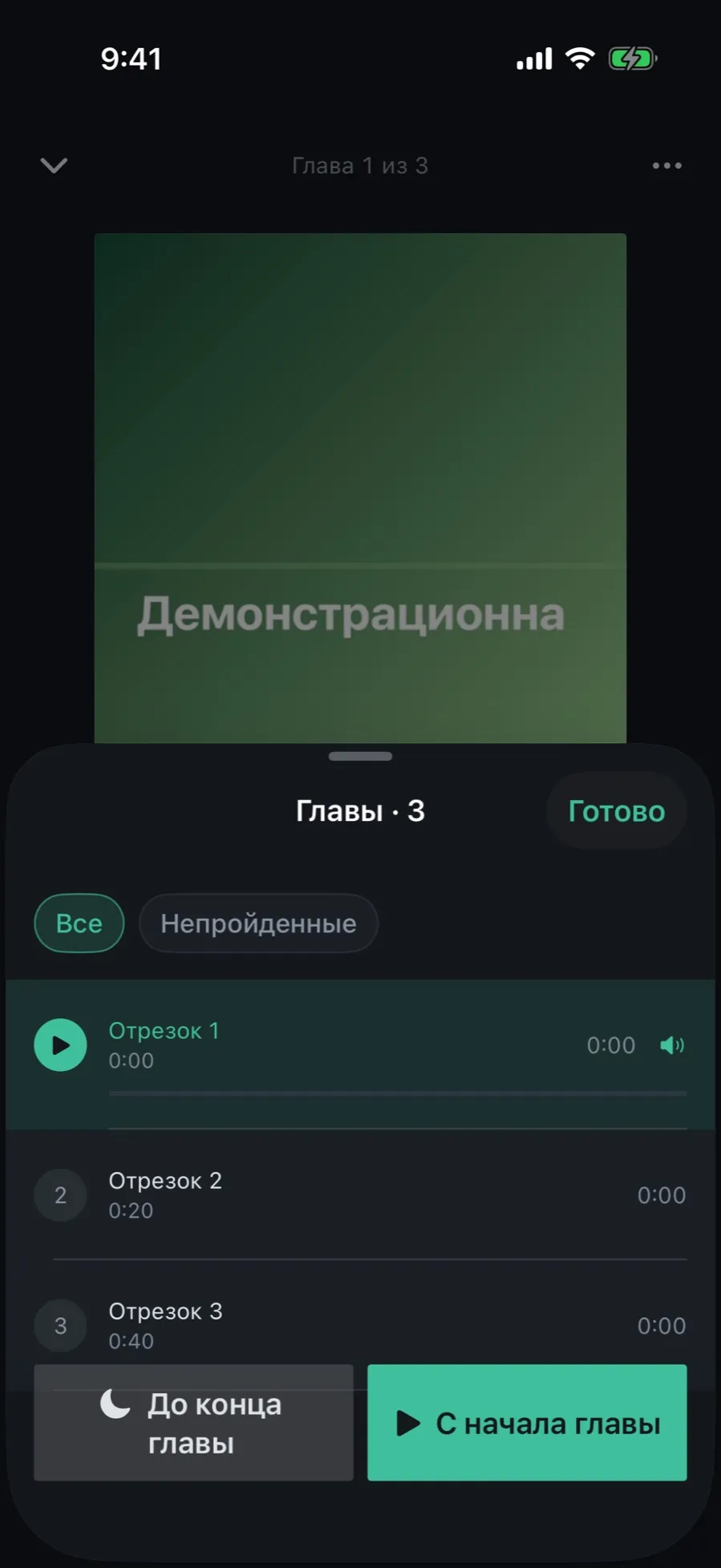
  2. The same choice is in the chapters sheet: the “To the end of the chapter” button at the bottom of the list.
  3. The boundary follows the current chapter: seek into another one and the timer fires at the end of that one.

If the book has no chapters, the row is disabled and captioned “the book has no chapters”. “To the end of the file” remains.

The “Chapters” sheet of the demo recording: three segments, with the “To the end of the chapter” and “From chapter start” buttons at the bottom
04/05

What happens when the timer fires

The sound does not cut off, it fades. The book stops and the position rolls back. No notifications, no sounds.

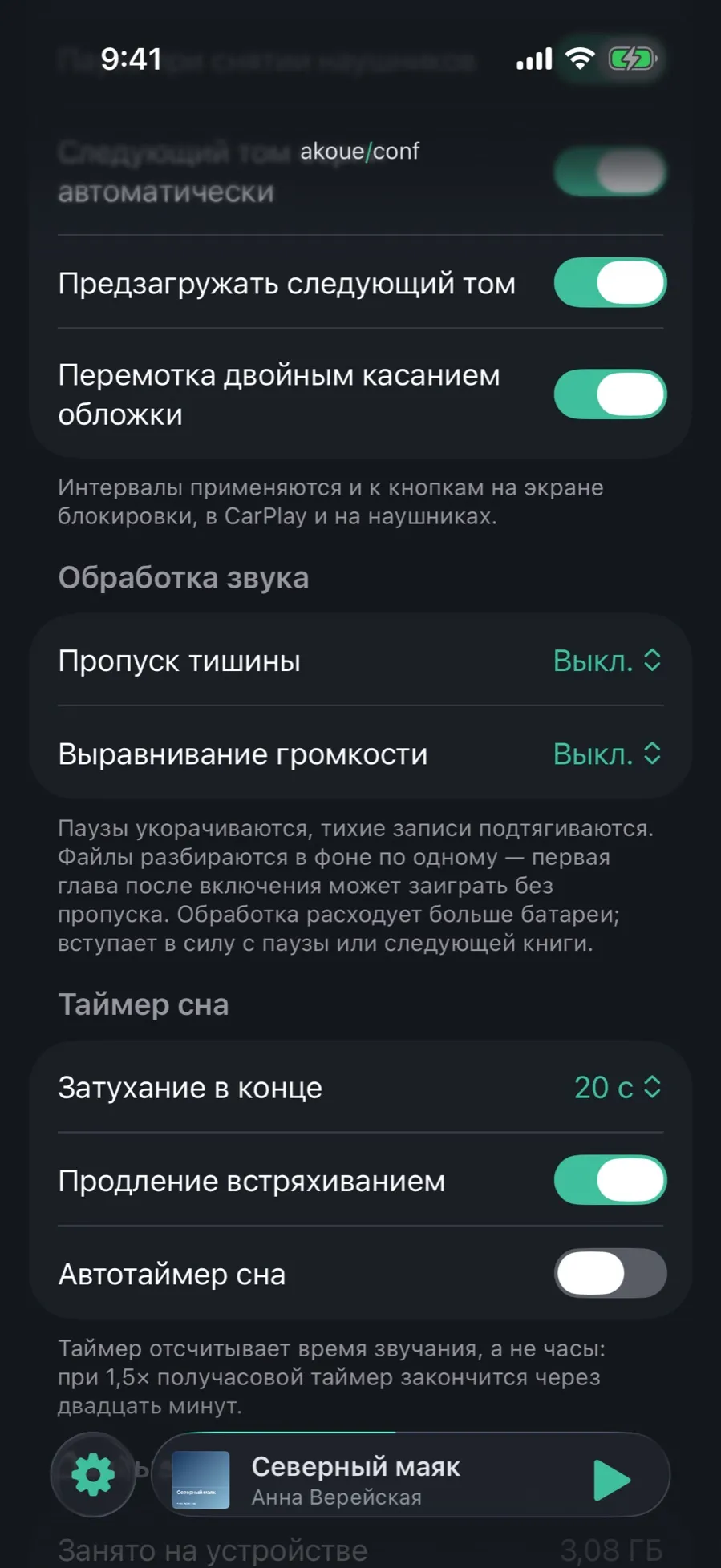
  1. Twenty seconds before the end the volume fades down to zero. The length is set in Settings → “Sleep timer” → “Fade out at the end”: Off, 10, 20, 30 or 60 s.
  2. At the end the book pauses, the volume comes back at once, and the position rolls back by 30 seconds.
  3. Not quite asleep? Within a minute, shake the phone with the player open: the book continues and the timer restarts for the same length. Turned off with the “Extend by shaking” switch.

The player’s volume fades, not the device’s: the system volume stays yours.

The “Sleep timer” section in Settings: “Fade out at the end”, “Extend by shaking”, “Auto sleep timer”
05/05

Auto timer in the evening

If you turn the timer on by hand every evening, let it arm itself.

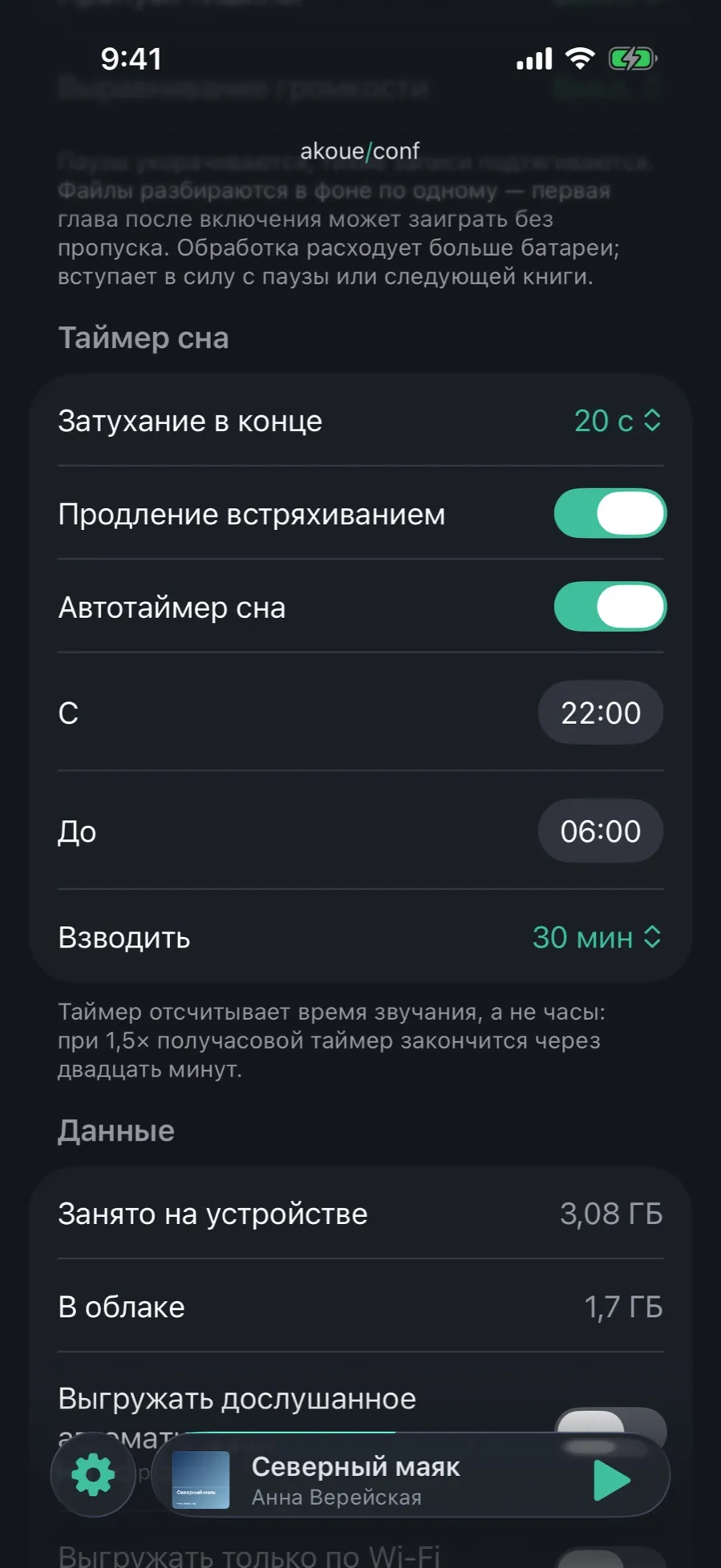
  1. Open Settings → “Sleep timer” and turn on “Auto sleep timer”.
  2. Set the “From” and “To” window, for example from 22:00 to 6:00. The window may cross midnight.
  3. Choose what to “Arm”: 15, 30, 45, 60 minutes or “to end of chapter”.
  4. Start a book inside the window: the timer turns on by itself. A timer turned on by hand is not overridden.

The auto timer is a setting of this device and is not synced between iPhone and iPad. Fade-out and shaking are synced.

Settings with the auto timer on: the “From”, “To” and “Arm” rows

What the timer does not do

  • A custom duration: the set is fixed, 5, 10, 15, 30, 45, 60 and 90 minutes.
  • A rewind setting: when the timer fires the position always rolls back by 30 seconds.
  • A counter of its own in the Dynamic Island or a button in CarPlay: see the remaining time in the player and in the lock screen widget.