You can leave the app at any moment and lose nothing: the catalog exports into open formats, the audio sits there as ordinary files anyway, and what you delete waits thirty days in the trash.
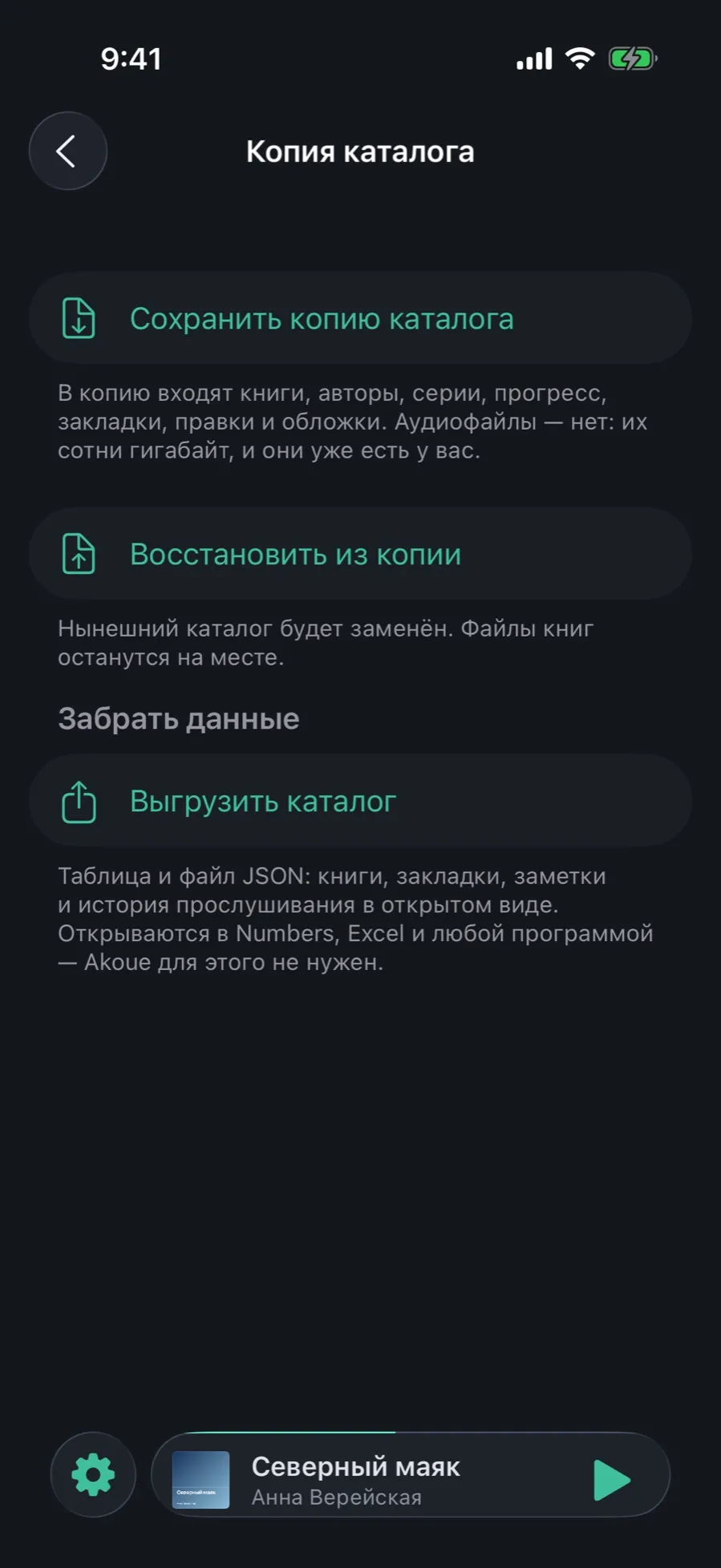
The app does not hold you by your data. A catalog backup is one file; the export is a table and JSON that open in Numbers, Excel and any other program — Akoue is not needed for that.
Everything in this guide is free. Audio files go into neither the backup nor the export: that would be hundreds of gigabytes, and you already have them.
01/03
A catalog backup and the export
A backup saves not the files but the work you put into them: title edits, repaired encodings, series, authors, progress and bookmarks.
Open Settings → “Backup file”.
“Save a catalog backup” builds one file and hands it to the system share sheet: to Files, to a messenger, anywhere.
“Restore from a backup” replaces the current catalog with the contents of the file. The book files stay where they are.
Below, in the “Take your data” section, the “Export the catalog” button: a table and JSON with books, bookmarks, notes and listening history in the open.
Next to it in the settings is a “Catalog backup in iCloud” switch — that one runs by itself. Audio files are excluded from it always, whatever the switch says.
02/03
The trash and the integrity check
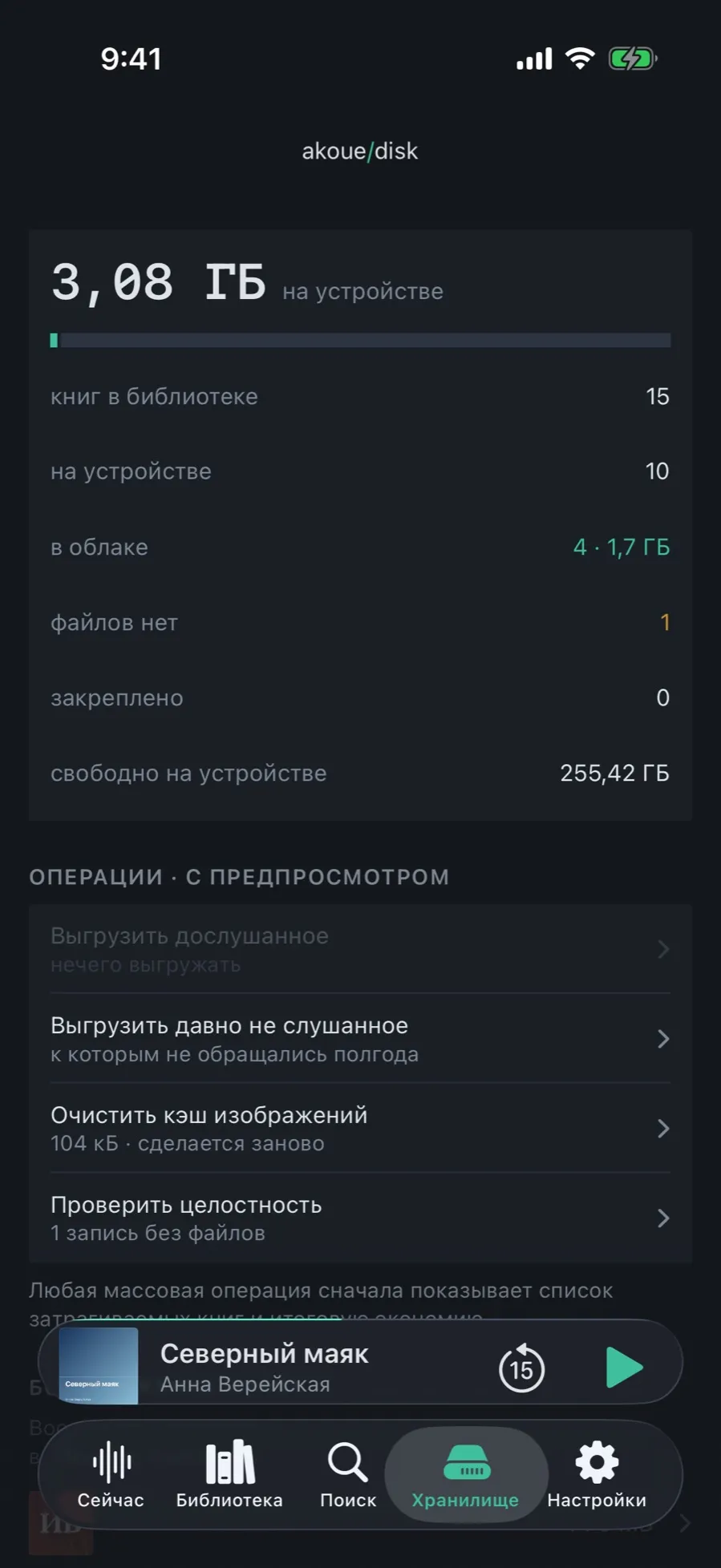
A deleted book does not go nowhere: it goes to “Recently deleted” for thirty days. And if files vanished on their own, a separate check finds that.
Open the “Storage” tab.
The “Recently deleted” row shows how many books are waiting and how much space they take; from there a book is restored or deleted for good.
In the operations section there is “Check integrity”: it matches the catalog against the files on disk.
Records whose files have gone missing get the “files not found” state, and folders with no books — leftovers of interrupted imports — are cleared.
Records of things read outside the app are left alone: they have no files by design and never count as problems.
03/03
Diagnostics: what leaves and what does not
A report is gathered only when you ask and is shown before it is sent. Book titles and file paths are not in it.
Open Settings → “About” → “Diagnostics”.
The app gathers its own service records and shows how many it has been through.
Read what came out, and only then decide whether to send it.
Sending goes through the system share sheet — by mail, into notes, anywhere.
There is no analytics and no automatic reporting in the app: the only network it sees is your iCloud.
What is not here
Audio files in the backup and the export: you already have them as ordinary files.
Automatic sending of anything: diagnostics leave only on your button.
Undo for a restore: the current catalog is replaced, and only another backup brings it back.