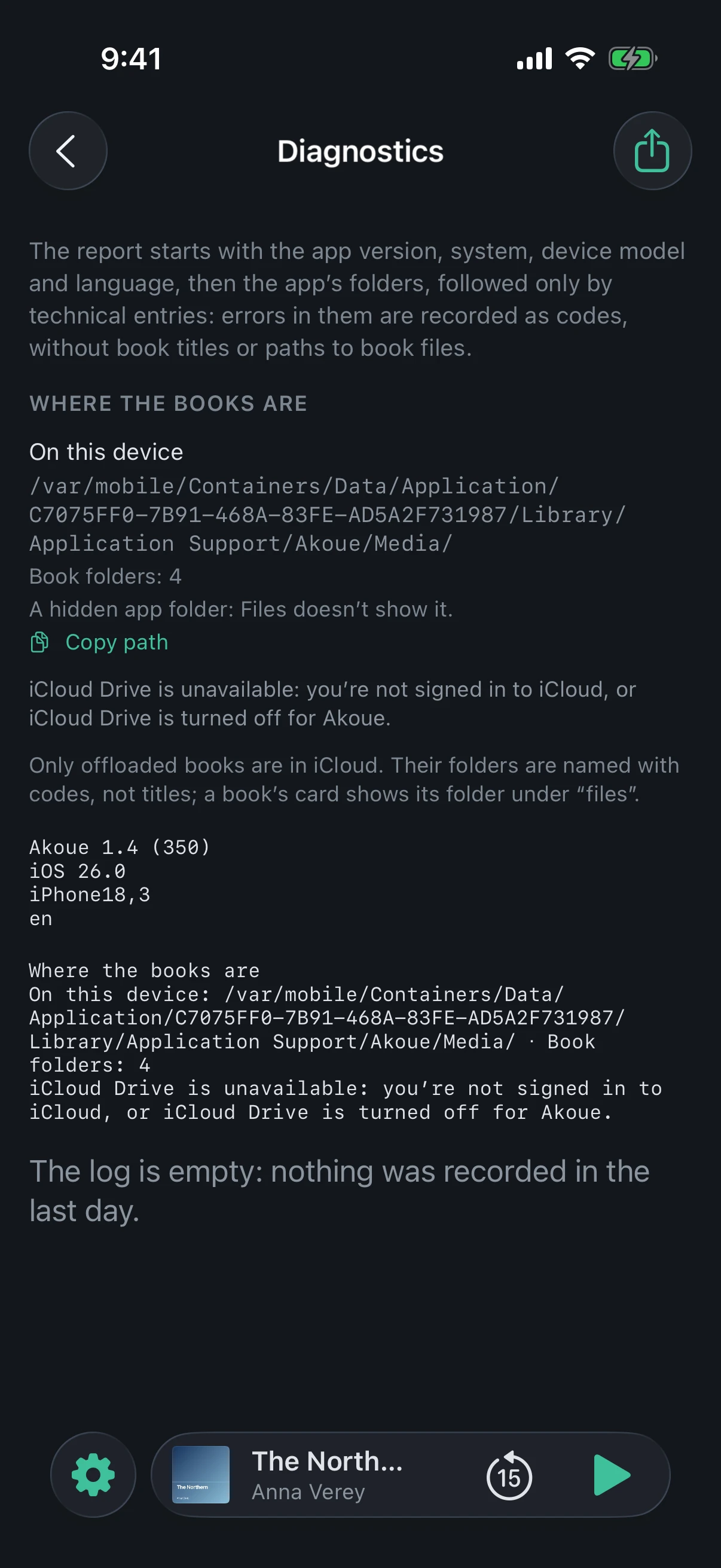
A report for the developer when an error doesn’t explain itself. It is put together only when you open the screen, is shown in full, and leaves only if you send it yourself.
What is in the report
The Akoue version with its build, the system version, the device model as a code — for example, iPhone15,4 — and the app language.
“Where the books are”: the app’s folder on this device and the folder of offloaded books in iCloud Drive, each with its number of book folders. Without iCloud, instead of the second folder it says why it is missing.
The log: Akoue’s technical entries since the app was last launched, no older than a day — time, section, level, text. Errors in it are recorded as codes.
What is not in the report
Book titles and paths to book files.
The device name: it may contain the owner’s name.
Entries from other apps and from the system.
The library, progress and bookmarks: the report is not a catalog backup.
Who sees it
At first only you: the screen shows the report word for word, the same text that goes into the file.
“Share Report” at the top opens the system sheet: the akoue-diagnostics.txt file goes wherever you choose — Mail, Messages or Files.
Akoue itself sends the report nowhere. Its copy on the device is erased at the next app launch.
“Write to the developer” in “About” opens an email with the same lines about the version, system, model and language. You see them before sending and can delete them. The report itself is not attached to the email: attach the file via “Share Report”.
What it looks like
The start of the report: the Akoue version, system, device model and language
Tip
Open the “Diagnostics” screen right after the error, without closing Akoue: that way the report captures what happened just before it.