The library is built like a library rather than a folder of files: an author has a page with all their books, a series shows its volumes by number, a narrator has a glossary of their own.
Authors, series, narrators and genres are catalog records, not tags. They appear by themselves during import, are edited by hand and live apart from the books: deleting a series does not delete books, only the link goes.
All of this is free. Only merging an author’s duplicates and the author page with a photo and a note belong to Pro.
01/05
The Authors grouping
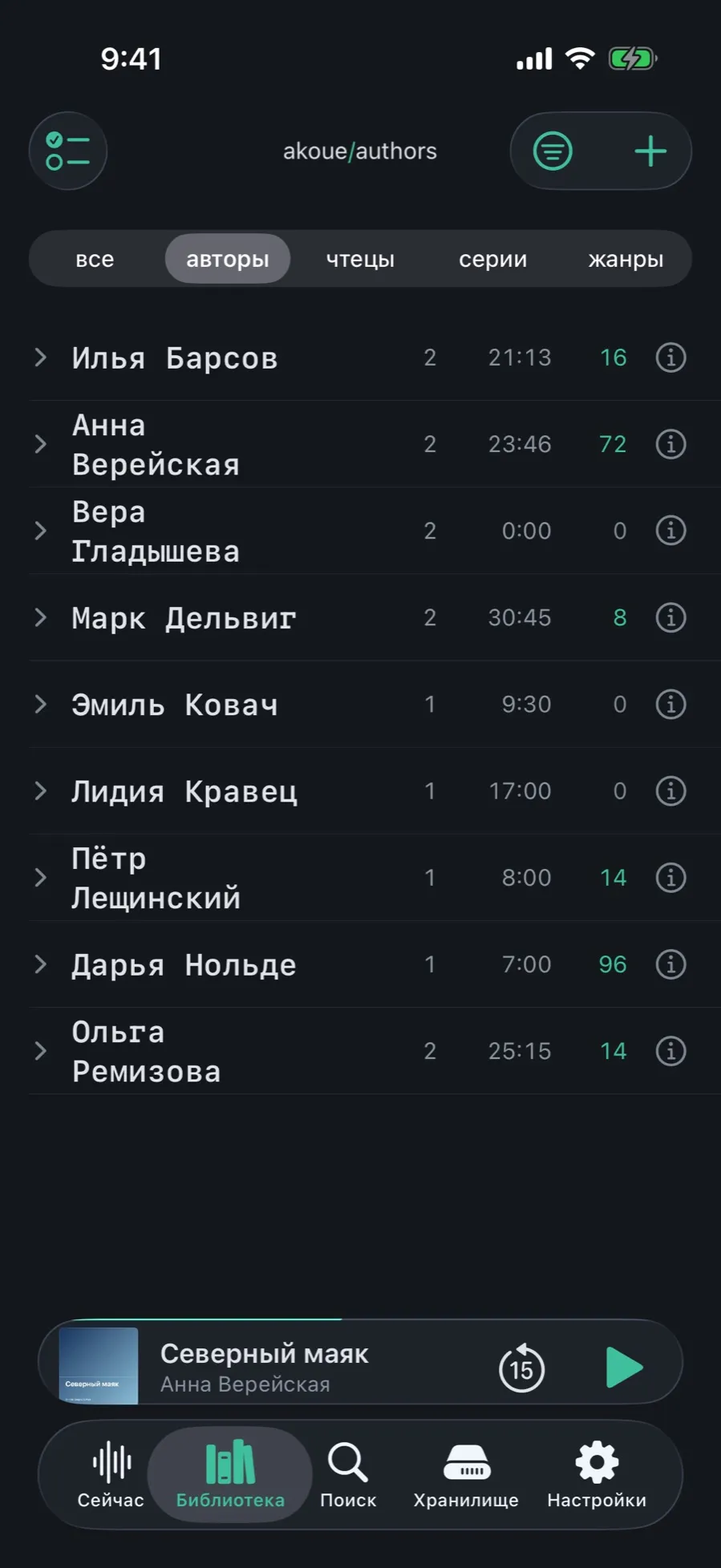
The same library arranged by people: you can see who has how many books and whose you have not got to.
Open the Library and tap “authors” in the grouping strip.
The list shows the name, the number of books and the number of series for each.
Tap an author to open their page.
An author has two names: the displayed one and the sorting one. The list is built on the second, so “Viktor Pelevin” sits under P, not under V.
02/05
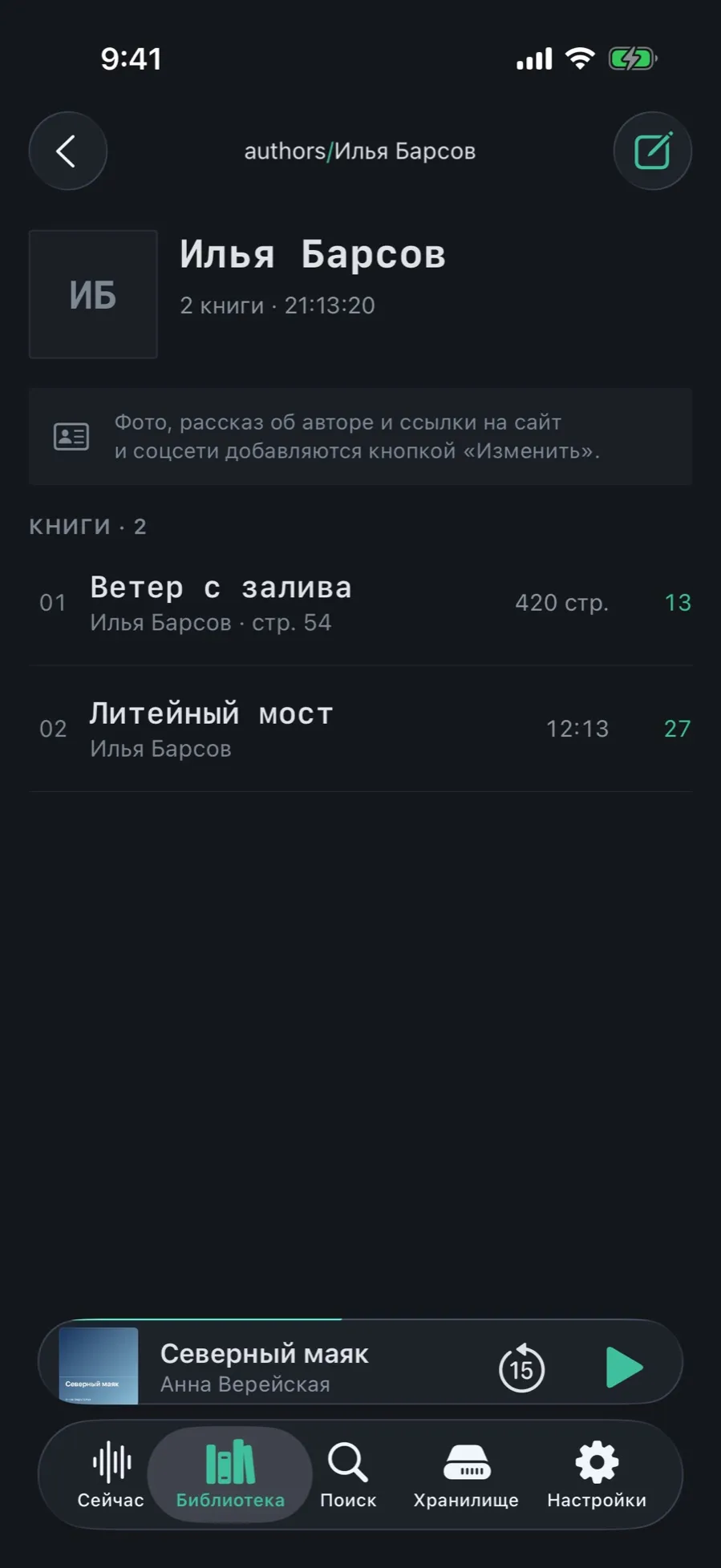
The author page
Everything this person has in your library: how many books, how many hours, and how much of it is finished.
At the top: the name, the number of books and the total length.
Below, the “Books · N” list: books outside series and whole series.
The edit button in the top right corner opens the author’s fields.
A photo, a note about the author and links to their site and socials are added there, with “Edit”.
The photo and the note belong to Pro. The name, the sorting name and the links to books are edited for free.
03/05
The Series grouping
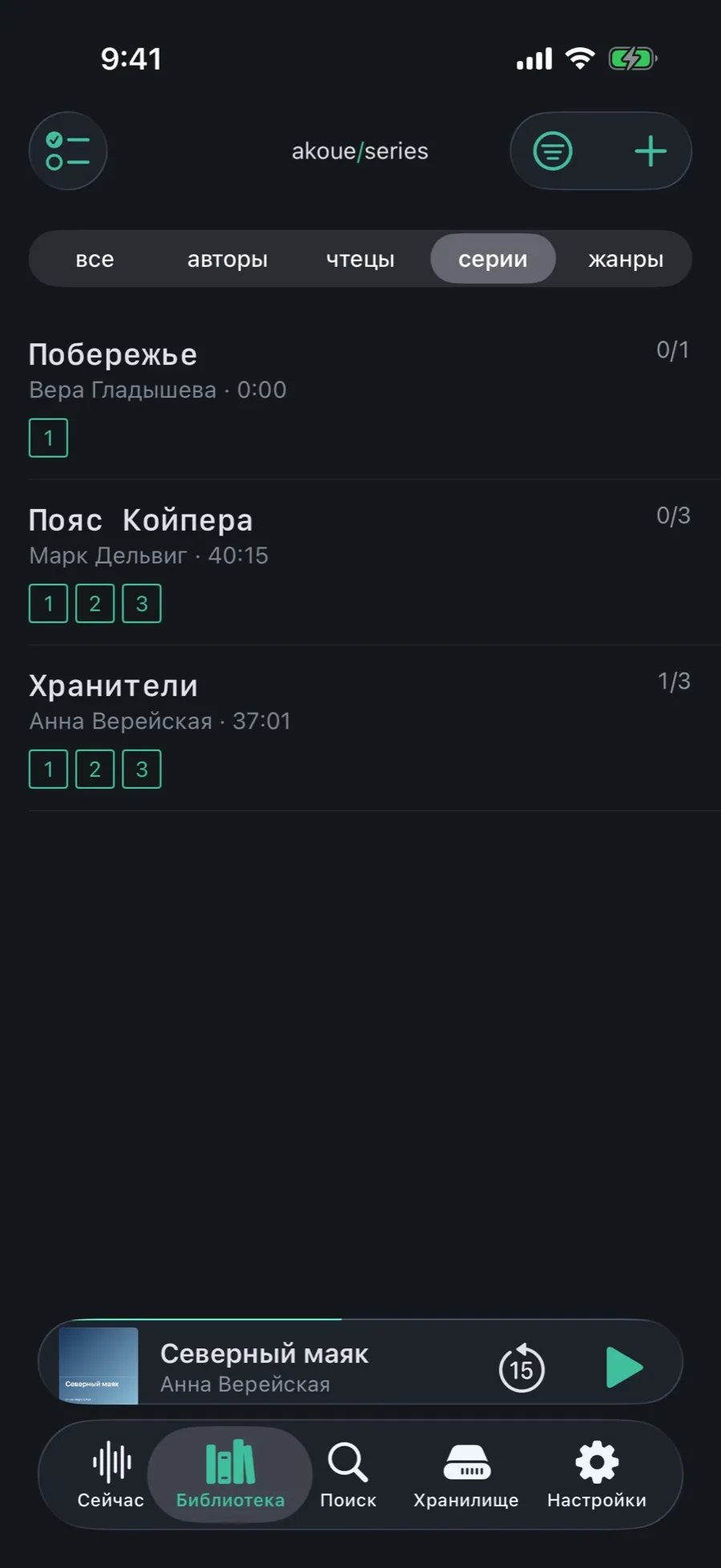
Series are a grouping of their own: how many volumes there are and how many of them are finished.
In the Library tap “series” in the grouping strip.
Each series carries a cover — of the first volume or one you set — and a book count.
Tap a series to open its card.
04/05
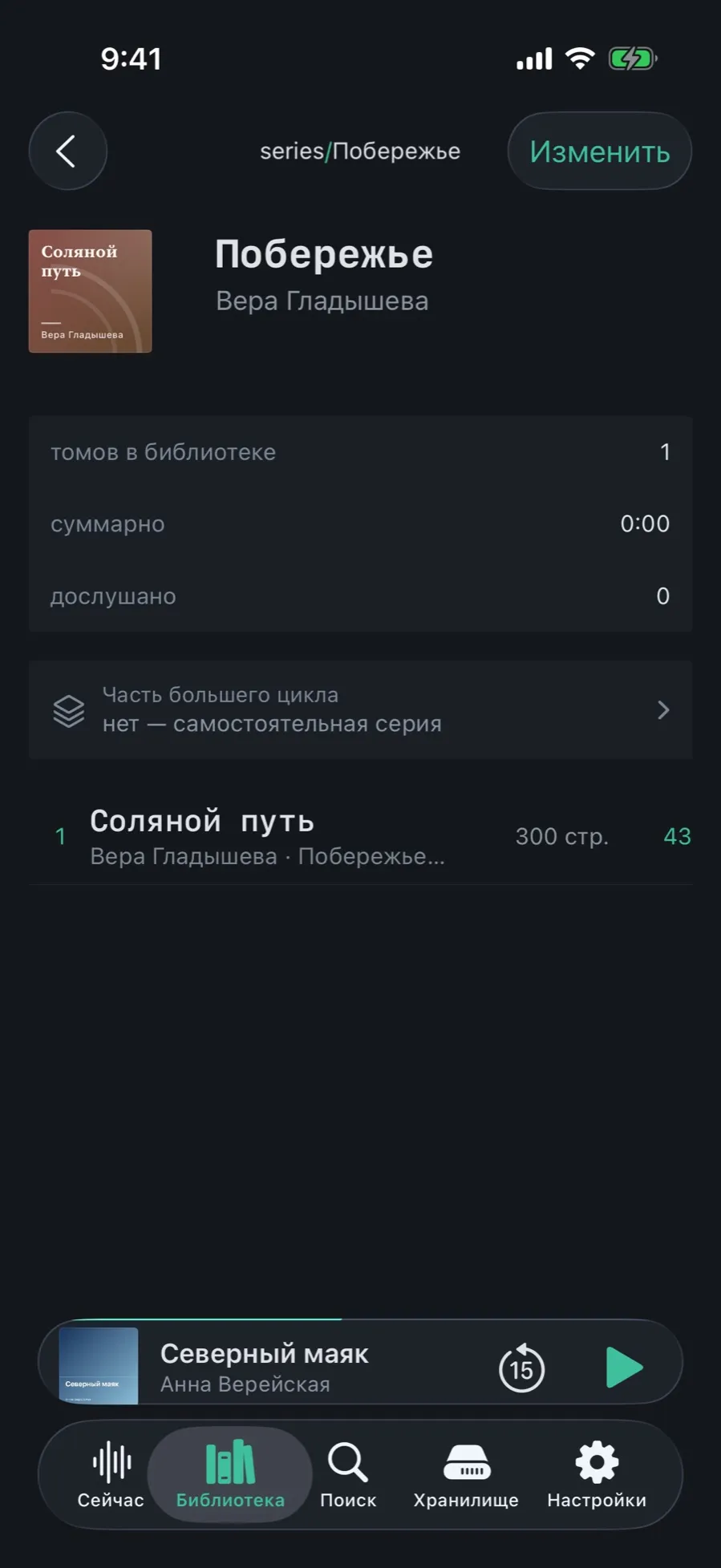
The series card and missing volumes
Volumes line up by number, not by the date they were added. If the third volume is absent, you see it at once.
At the top: the cover, the title and the author of the series.
The figures block: “volumes in the library”, “total”, “finished”.
The “Part of a larger cycle” row says whether the series belongs to a wider cycle; by default it is a standalone series.
Below are the volumes by number. A number can be fractional: 1.5 lands between the first and the second.
The “Edit” button in the top right corner changes the series title, description and cover.
A book may belong to several series at once — to a cycle and to the cycle above it, with different numbers. Lists show the topmost one.
05/05
Narrators
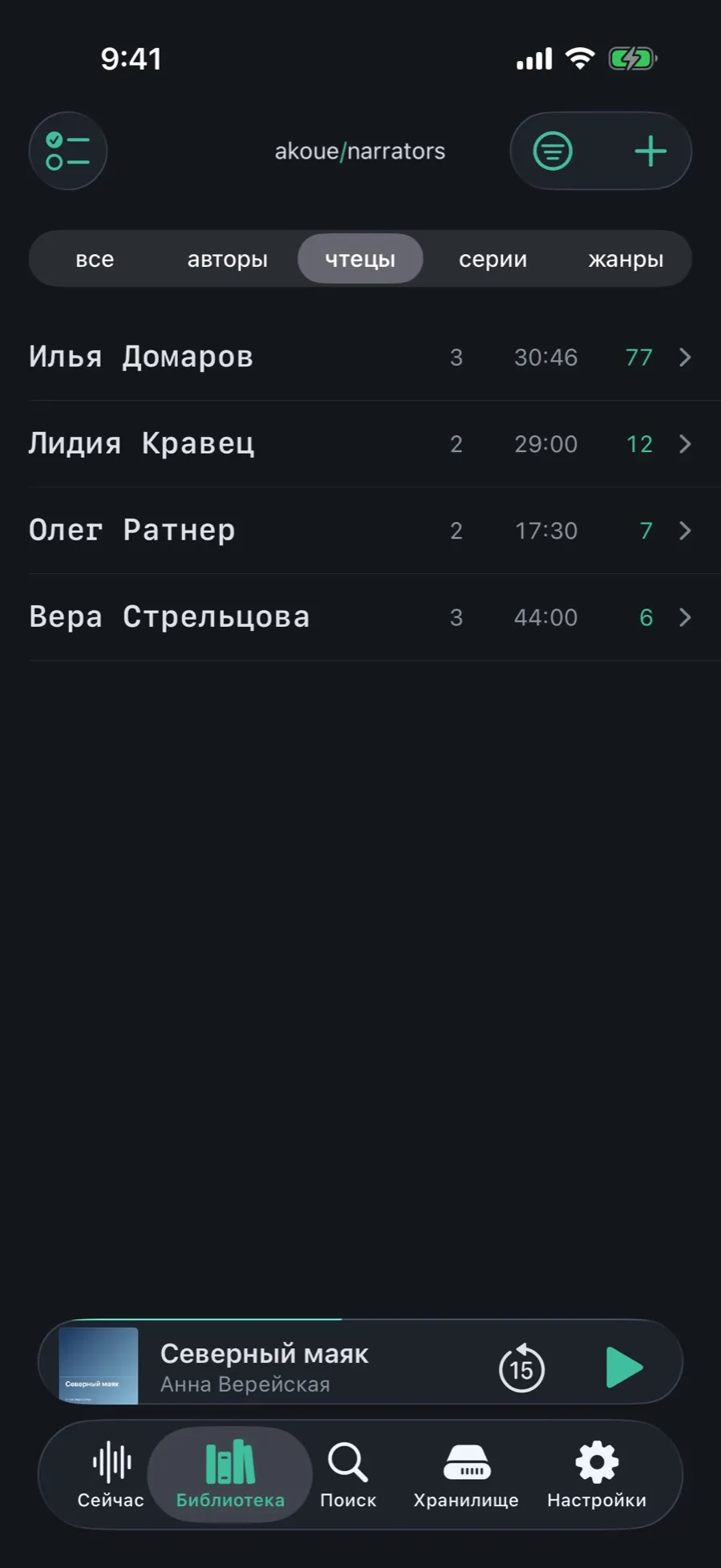
A narrator is a catalog record just like an author: with a page, their books and a note of their own.
In the Library tap “narrators” in the grouping strip.
The list shows the narrators and how many books each has read.
On a narrator’s page you can write a note about their manner, links and other spellings of the name — with “Edit”.
A narrator belongs to an edition: two narrations of one book have different narrators.
Speed is remembered per narrator: a fast reader can get 1×, a slow one 1.5×, and the app will set it for you.
What is not here
Biographies and photos from the internet: the app never goes online, everything is typed in by hand.
Roles for co-authors: a book may have several authors, but “author”, “editor” and “translator” are not told apart.
A map of the series: if a volume is not in the library, the app knows of it only from the gap in the numbering.