The player is built for a book, not for music: a hundred files make one continuous timeline, the skips are set separately, and speed does not spoil the voice.
The position is saved continuously and survives a phone call, a change of headphones and a reboot. A skip crosses file boundaries cleanly: the end of one and the start of the next are just neighbouring seconds to the player.
Everything described here is free. Only silence skipping and volume leveling belong to Pro.
01/04
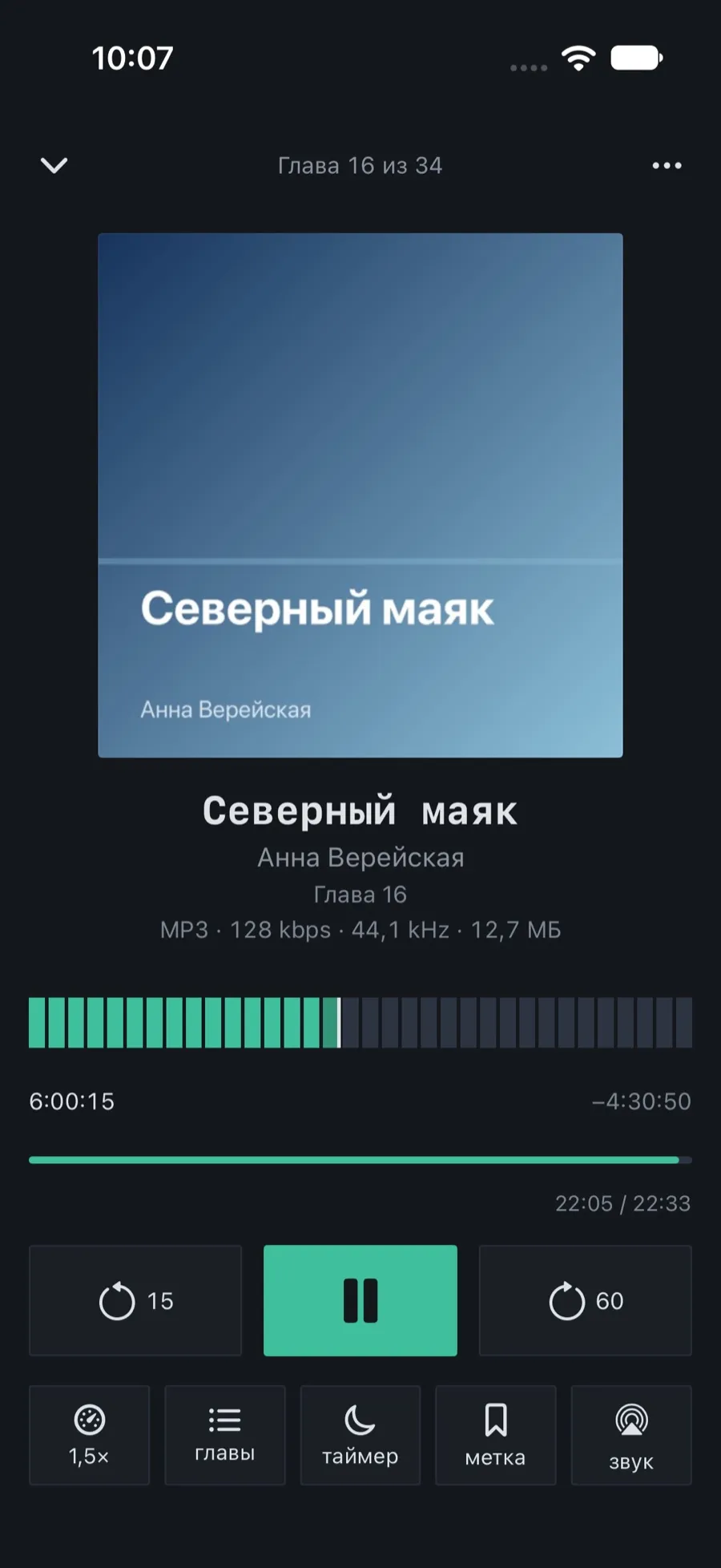
The player screen
Two scales instead of one: the whole book on top, the current chapter below. On a long book an hour of listening takes two dots on the book scale, while within a chapter you can land exactly where you want.
Under the cover: the title, the author and the chapter, and a line below with the format, the bit rate and the size of the file playing now.
The book scale is split into segments by file; below it, elapsed and remaining, adjusted for speed.
The thin scale below is the current chapter with a counter of its own.
The round buttons on either side are the skips; the figure on each shows its interval.
The second row: speed, chapters, timer, bookmark and audio output.
The ring on the scale marks where the sound started this time. The button next to the skip returns to exactly that second.
02/04
Speed without distorting the voice
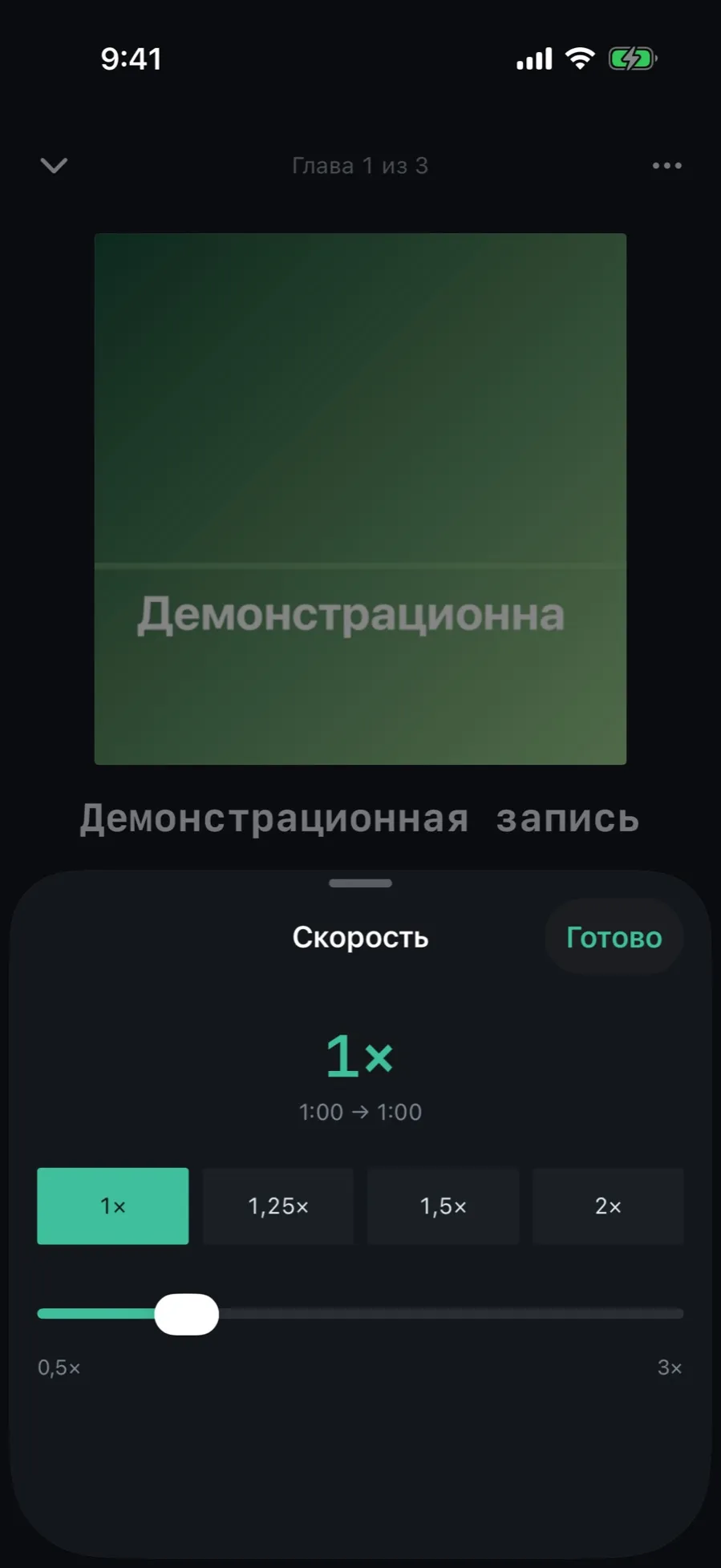
From 0.5× to 3× in steps of 0.05. The pitch does not change: a sped-up narrator stays himself rather than turning into a chipmunk.
In the player tap the speed button on the left of the second row — it carries the current value.
The big figure at the top is the chosen speed; under it, how long the book runs at that speed.
Four presets: 1×, 1.25×, 1.5×, 2×.
The slider below sets any value between 0.5× and 3×.
Tap “Done”. The speed is remembered for this book.
Speed is also remembered per narrator: a fast one can get 1×, a slow one 1.5×, and for their next book the app sets it for you.
03/04
Chapters at hand
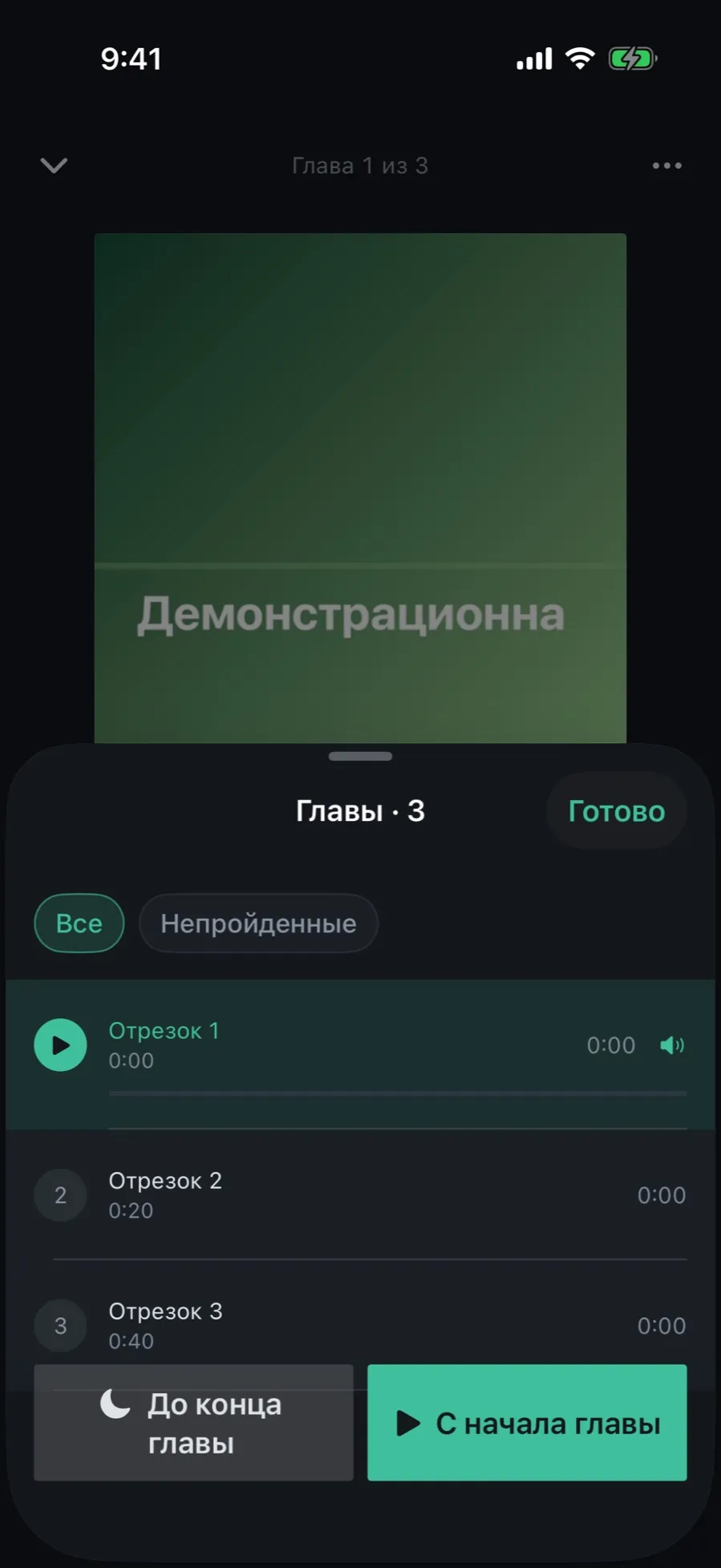
The chapter sheet opens from the player, shows where you are, and lets you fall asleep on a chapter boundary while you are there.
Tap “chapters” in the second row of buttons.
The list opens on the current chapter rather than at the start of the book.
Every chapter carries a title, a start time and a length; the current one also has a progress bar.
Tap a chapter to jump to it.
Two buttons at the bottom: “To the end of the chapter” sets the sleep timer to its end, “From chapter start” plays it again from the beginning.
The icon beside a chapter shows where its file is: a cloud outline means iCloud, a ring with a share means it is downloading right now.
04/04
Your own skips and the rewind after a pause
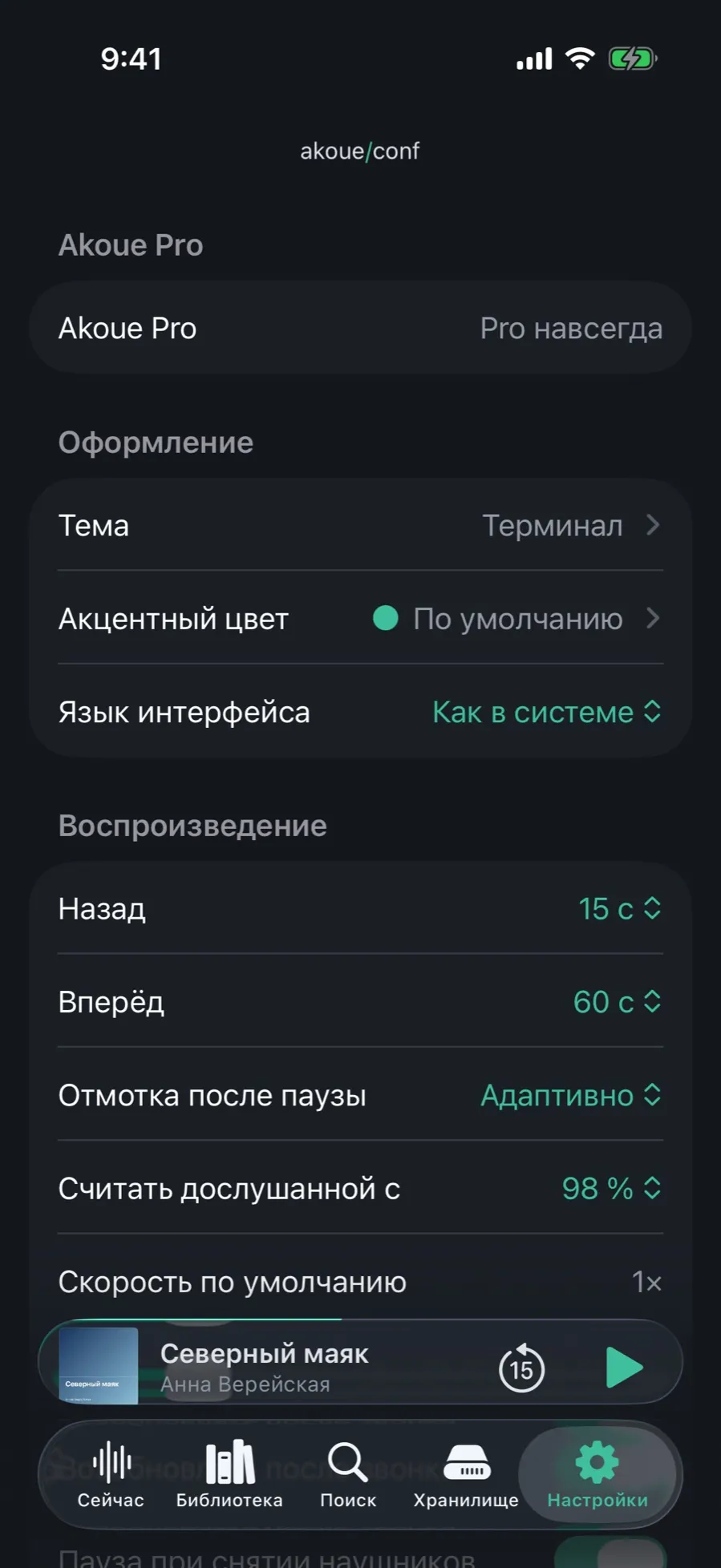
Fifteen seconds back and sixty forward are only the defaults. Both intervals are set separately, and the figure on the button changes with them.
Open Settings → the “Playback” section.
“Back” and “Forward” are the skip intervals; the values run from 5 to 120 seconds.
“Rewind after pause”: “Adaptive” rewinds further the longer you were away — from a few seconds after a short pause to half a minute after a night.
“Count as finished from” is the threshold at which a book is marked finished; 98 % by default.
“Default speed” is what new books start at.
The chosen intervals are handed to the system: the buttons on the lock screen, on headphones and in CarPlay skip by exactly the same amount. Further down, in the “Audio” section, live silence skipping and volume leveling — those belong to Pro.
What the player does not have
An equaliser or a mono mix for a single earbud.
A toggle between the book scale and the chapter scale: both are visible at once.
A manual “Up next” queue: only the next volume of a series starts by itself.